
SVG vs PNG: Which Image Format Should You Use for Your Website?
Stop pixelation before it starts. Understand the critical differences between vector and raster graphics to pick the best format for your 2026 web project.
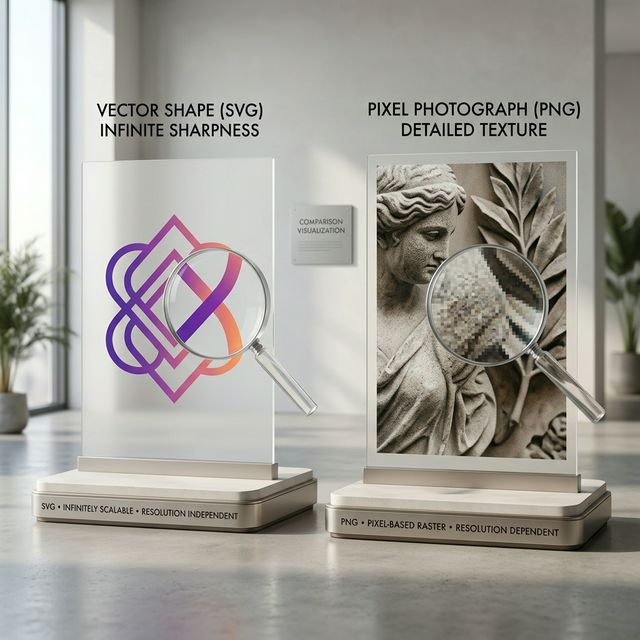
SVG vs PNG: Which Image Format Should You Use?
In the world of web design, choosing the wrong image format is a recipe for a slow, blurry website. While we have more options than ever in 2026—including WebP and AVIF—the foundational debate often comes down to SVG (Scalable Vector Graphics) vs PNG (Portable Network Graphics).
Understanding the technical difference between these two can save your site’s performance and ensure your brand looks sharp on every screen.
SVG: The Math-Based Masterpiece
SVGs are vector graphics. Instead of storing information about individual pixels, an SVG is a text file (XML) that describes shapes, lines, and colors using mathematical coordinates.
Pros of SVG:
- Infinite Scalability: You can scale an SVG to the size of a billboard or shrink it to a favicon, and it will stay perfectly sharp.
- Tiny File Size: For simple icons and logos, SVGs are often only 1-2KB.
- Animation: Since they are code, you can animate SVGs with CSS or JavaScript.
- SEO Friendly: Search engines can read the text labels within an SVG.
Best For:
Logos, icons, simple illustrations, and data visualizations.
PNG: The Pixel-Perfect Powerhouse
PNGs are raster graphics. They store a grid of colored pixels. When you zoom in, those pixels get larger, eventually leading to the "blocky" look known as pixelation.
Pros of PNG:
- Complex Detail: PNGs are much better at handling photographs, gradients, and intricate textures that math simply can't describe efficiently.
- Transparency Support: Unlike JPEGs, PNGs support alpha transparency, allowing for complex layering in design.
- Compatibility: Every browser and device since the 90s supports PNG.
Best For:
Photographs with transparent backgrounds, detailed product shots, and screenshots.
The 2026 Perspective: Performance Matters
In 2026, Core Web Vitals are more stringent than ever. Using a massive PNG for a simple logo is a common mistake that drags down your "Largest Contentful Paint" (LCP) score.
Rule of Thumb: If it’s a shape or a logo, use SVG. If it’s a photo, use WebP (or PNG as a fallback).
Conversion Tip
Need to turn a logo from a PNG back into a clean SVG? Tools that offer "Vectorization" use AI to trace your pixels and turn them back into clean, mathematical paths. You can do this easily with several Image Tools available online today.
Summary
The choice between SVG and PNG isn't about which is "better"—it's about using the right tool for the job. Keep your icons vector and your photos raster, and your users will thank you for the crisp, fast-loading experience.